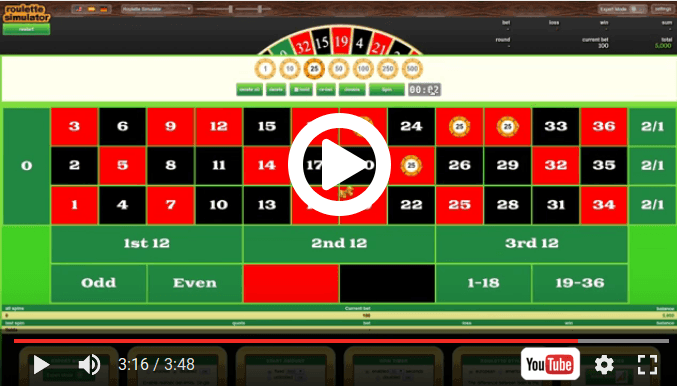
General options
Roulette style
Select between American (double zero) or European (single zero) Roulette.
Starts the roulette game and throws a number in single mode or multiple numbers in the strategy simulation.
Deletes a single bet. After clicking on the delete button, the next clicked bet will be deleted.
Deletes all bets.
Restarts the simulator and sets the score back to null.
Simple Options
Bet limits
Enable realistic bet limits. Single Number 250, Simple Chances 20.000
Start amount
Start with unlimited points or with a fixed value.
Spin timer
Play against the clock. Manage roulette under time pressure.
Repeats the last bets.
Holds the last bets in the following rounds.
Doubles the actual bets.
Martingale options
Repeats the throw automatically after a short delay in which the intermediate results can be checked. Stop returns to manual mode. (not in Simple mode)
Spins
Number of spins to be thrown with one pass. A maximum of 200 spins at once. default value: 100
Progression-Factor
The factor with which the bets are multiplied in case of loss. default value: 2
If the Linked option is enabled, then set all fields to behave like a single bet. If one of the betted field wins, then the bet is won, and all other fields begin again with their start bet. default value: checked
Maximum Bet
The maximum bet to be increased up per field. If this value is reached, no further increase on the bet will be made. If the value is empty, the max bet is unlimited. default value: 1000
Maximum Bet
Number of lost games to wait, before the bet becomes placed. If, for example played on red, then wait 3 times black and only then put the bet on the table. default value: 0
Go home after : loss win
Quit the game after a certain amount of win or loss. default value: empty
Paroli options
Repeats the throw automatically after a short delay in which the intermediate results can be checked. Stop returns to manual mode. (not in Simple mode)
Spins
Number of spins to be thrown with one pass. A maximum of 200 spins at once. default value: 100
Retain profit after bet won: times
Number of rounds in a row to be won. (after how many rounds you will take the winnings). default value: 3
To quit the series after a win, uncheck the box. default value: checked
Alembert options
Repeats the throw automatically after a short delay in which the intermediate results can be checked. Stop returns to manual mode. (not in Simple mode)
Spins
Number of spins to be thrown with one pass. A maximum of 200 spins at once. default value: 100
Progression value
The value which is added or subtracted to/from the bet in the event of win or loss. It is !not! the same as the progression factor of the Martingale simulator, which is used to multiply the bet. default value: 10
Maximum Bet
The maximum bet to be increased up per field. If this value is reached, no further increase on the bet will be made. If the value is empty, the max bet is unlimited. default value: 1000
Go home after : loss win
Quit the game after a certain amount of win or loss. default value: empty
In the event of a loss, the bet will be increased by the Progression value. default value: checked
In the event of a win, the bet will be reduced by the Progression value. default value: checked
In the event of a win, the bet will be increased by the Progression value. default value: checked
In the event of a loss, the bet will be reduced by the Progression value. default value: checked
Increasing is made after x times. If a value of 1 is given, then the bet is increased immediately after win / loss. If a value of 3 is given the bet will be increased after the third win / loss in a row. default value: checked
Reducing is made after x times. If a value of 1 is given, then the bet is reduced immediately after win / loss. If a value of 3 is given the bet will be reduced after the third win / loss in a row. default value: checked
Sequence Options
Repeats the throw automatically after a short delay in which the intermediate results can be checked. Stop returns to manual mode. (not in Simple mode)
Spins
Number of spins to be thrown with one pass. A maximum of 200 spins at once. default value: 100
Sequence length
The permanence will be divided into sequences of the specified length. This should be an odd number, in order to determine which color has the dominance in the current sequence. default value: 7
Dominance Ratio :
The minimal ratio in that a color must dominate the other, before a bet is placed. Example: With a sequence length of 7 and a dominance ratio of 2:5, the bet will be placed only if a sequence appears with 2 red and 5 black or 2 black and 5 red. default value: 3:4
Progression steps
Number of progression steps to go, if the bet loses. Bets will be multiplied with the factor of progression. default value: 3
Progression-Factor
The factor with which the bets are multiplied in case of loss. default value: 2
If checked, then do bet on the equalisation of the dominance ratio. If unchecked, then do bet against the equalisation. Example: With a dominance ratio of 4 Red against 3 Black, Red is the dominant color. If the box is checked, then the bet will be placed on Black, because it bets on equalisation. If the box is unchecked you will bet on the non-equalisation. default value: checked
Custom progressions table options
This allows you to define a table of custom progression steps. After that, the game automatically goes through all the steps stored in the table. The table can only be played on a single playing field.